
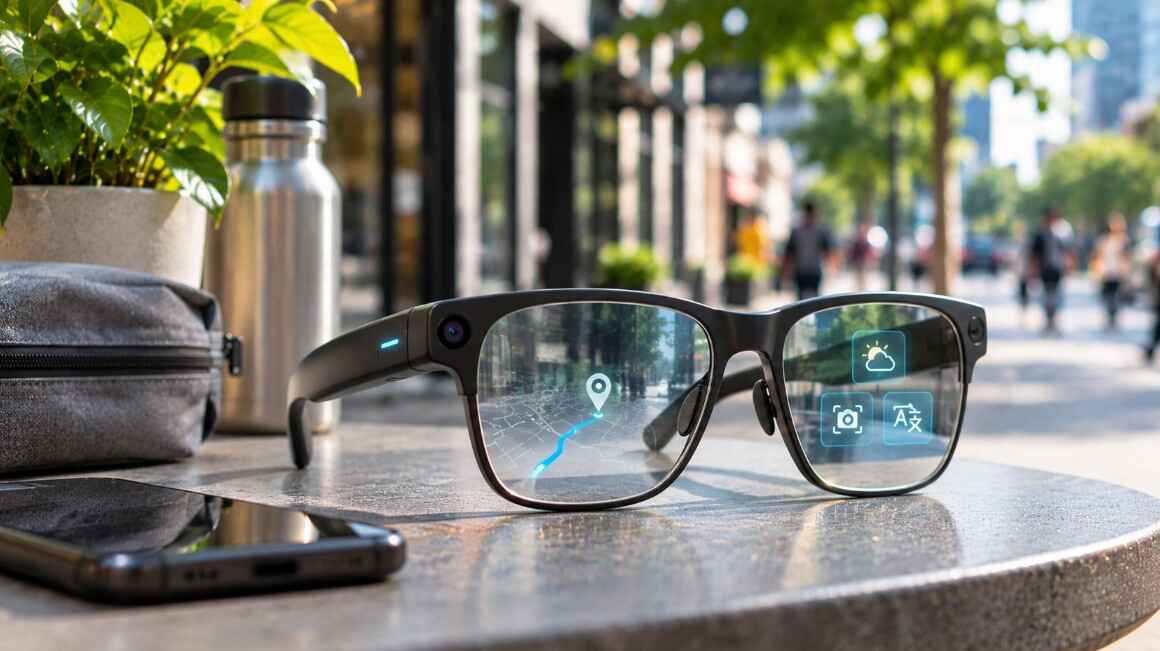
For most people, looking something up while out and about still involves taking out a phone. You stop what you’re doing, unlock the screen, open an app and type in a question. AI glasses offer another option. You can ask aloud and hear a response without having to reach for your phone.
The idea isn’t entirely new, but recent sales figures suggest that interest is picking up. Counterpoint Research reported that global shipments of intelligent eyewear increased by 83% year over year in the first quarter of 2026. Meta held around 84% of the market. Figures for the first half of the year also showed a 263% increase in AI glasses shipments.
People aren’t buying these devices simply because they want another gadget. Being able to ask something without stopping to use a phone has its appeal. You might want to identify a building, understand a phrase in another language or find your way to a nearby station. The bigger question is how well these features hold up in everyday situations, away from carefully planned demonstrations. There are also times when a phone remains the more useful tool.
Why Reaching for the Phone Can Be Inconvenient
Smartphones can handle almost anything, but using one isn’t always convenient. Even a quick search means looking at a screen and usually having both hands free. That’s not much of a problem when you’re sitting at home. It’s a different story when you’re carrying shopping, walking the dog or trying to navigate an unfamiliar city.
AI glasses are designed to deal with some of those moments. Meta has a strong position in this market, with much of the attention focused on products such as Ray-Ban’s latest Meta glasses. They aren’t intended to take the place of a smartphone. Instead, voice commands let users handle certain requests without reaching for one.
You could ask for the name of a building, check how to pronounce a Spanish phrase or find out how far away the nearest station is. None of these questions is particularly complicated. They just happen to be easier to ask when your hands are occupied or you don’t want to keep looking down at a screen.
There’s still a connection to the phone, though. The glasses rely on it for things like internet access and location data. So you haven’t really left your smartphone behind; you just don’t need to pull it out for every little search.
Asking Questions About What You’re Looking At
A regular search usually starts with a description of what you want to find. AI glasses can approach things differently because their cameras provide visual context. Rather than explaining an object or taking a picture to upload, you can ask about something directly in front of you.
Imagine walking past an old building and wondering when it was built. You might also want to identify a plant or find out what ingredients are in a dish. The camera captures what’s in view, while your spoken question gives the AI some context. It then processes the request and plays its answer through the glasses’ speakers.
Meta’s live AI feature also supports follow-up questions without requiring users to repeat the wake phrase each time. When the feature launched in the US and Canada, it allowed people to keep asking about what they were seeing instead of starting a fresh interaction for every question.
That can be handy when you’re trying to get a quick explanation. The catch is that you generally hear a single response rather than getting a page of search results. There’s no easy way to compare several sources or see exactly how the system arrived at its answer. If it sounds plausible, you may not think to check it.
Directions and Translation Show Where AI Glasses Can Help
Finding your way around and speaking to someone in another language are two everyday situations where using a phone can get in the way. You’re often walking, looking at your surroundings or trying to keep a conversation going. Stopping to check a screen isn’t always ideal.
In October 2026, Android Authority reported that Meta had added turn-by-turn walking directions to its glasses. Users can ask for directions to a destination and hear instructions based on location data from a connected phone. If the destination is too far to reach on foot, the directions are sent to the phone instead.
Anyone who’s tried to follow a map while walking through an unfamiliar city knows how awkward it can be. You look down to check the route, look up to avoid other people, then check the screen again because you’ve lost track of the next turn. Spoken directions can cut down on that back-and-forth. You still need to watch the road and pay attention to what’s around you, but there’s less reason to keep holding your phone out.
Translation serves a different purpose. Meta lists six languages for its live translation feature: English, French, German, Italian, Portuguese and Spanish. The glasses translate what the other person says, and a written version of the conversation can also appear in the phone app.
Think about ordering a meal abroad, asking which platform your train leaves from or having a quick chat with someone in a local shop. Passing a phone between two people can make the exchange feel rather clumsy. Hearing the translation as the other person speaks may be easier, particularly when the conversation is short.
The feature won’t work in every situation. Language support is limited, and availability depends on the device and software. An internet connection is generally needed, although users can download language packs beforehand if they want to translate offline.
Where the Technology Still Falls Short
Convenience doesn’t guarantee accuracy. AI glasses can mishear a question, especially when there’s background noise or someone speaks quickly or with an unfamiliar accent. Their answers also need to be treated with some caution. An AI assistant can sound confident while getting an important detail wrong.
Meta has acknowledged that its live AI and translation features aren’t always accurate. That’s worth keeping in mind when asking about a landmark or trying to understand a menu. It matters much more when the conversation involves an allergy, medication or another health concern. Don’t rely on a spoken translation alone in those situations. Check with a reliable source or someone qualified to advise you.
The lack of a display is another drawback. According to Counterpoint, 96% of AI glasses shipped in the first half of 2026 had no screen. That means most responses come through audio. It’s fine when you want a quick answer, but less useful if you need to compare train times, read a long message or follow several instructions.
Sound quality can be an issue, too. The open-ear speakers may be perfectly adequate on a quiet street. In a crowded station or beside a busy road, announcements and nearby conversations can make it difficult to hear what the glasses are saying.
Then there’s privacy. A camera built into a pair of glasses can record people who haven’t realised they’re being filmed. Some AI features also send images and spoken requests to remote servers for processing. Before using them, it’s sensible to check when recording takes place and how the information is handled. Meta provides more detail in its help center and regional privacy information.
Battery life is less exciting to talk about, but it matters just as much in daily use. If the glasses run out of charge halfway through the day, their directions and translation features won’t be available when you need them. Hands-free access also doesn’t mean you can stop paying attention. Looking out for traffic and other hazards still comes first, especially near roads.
Could AI Glasses Change the Way We Search?
Most searches still begin with a typed question on a phone or computer. You enter a few words, look through the results and decide which ones are useful. With AI glasses, you can ask aloud and get a spoken response without opening a browser. That changes when and how a search can happen, even if the questions themselves are often quite ordinary.
This may affect what businesses and publishers need to make easy to find. Someone walking through a city might ask for a shop’s opening hours, the price of a ticket or directions to an address. Voice assistants need information they can interpret correctly and pass on without leaving out important details. If the source information is unclear or out of date, the answer may be too.
There could also be practical uses for people with low vision or those who find touchscreens difficult to operate. Asking a question aloud removes some of the steps involved in searching on a phone. How much difference it makes will depend on whether the software understands the request and gives a useful answer.
The market is beginning to include people who already wear prescription glasses. In March 2026, Meta introduced its first Ray-Ban glasses designed for prescription wearers. That gives people who need corrective lenses another option, rather than requiring them to wear ordinary glasses alongside a separate device.
Still, hearing an answer isn’t the same as being able to check it. A voice assistant may not tell you where its information came from, and it might not make clear when some details are uncertain. That’s probably not a major concern when you’re looking for a nearby café. It becomes a different matter when you’re comparing expensive products, making financial decisions or researching a health issue. In those cases, taking out your phone and checking the original information is the safer approach.
Conclusion
AI glasses offer a way to look things up without stopping to use a phone. They can be useful when asking about a building, following walking directions or trying to understand a conversation in another language. These are fairly simple tasks, but they’re the sort of things people often need help with while they’re out.
There are still plenty of rough edges. Speech recognition can struggle in noisy places, AI responses aren’t always reliable, and most models depend on audio rather than a screen. Battery life and privacy deserve attention as well.
Rising sales suggest that more people are willing to try smart glasses, but that doesn’t mean they’ll suit everyone or replace the phone. Their usefulness depends on what you’re doing. If you need a quick answer while exploring a new city, they may save you the trouble of stopping to search. For anything that calls for detailed information, careful comparisons or a trustworthy source, a phone or computer is still the better option.
Leave a Reply